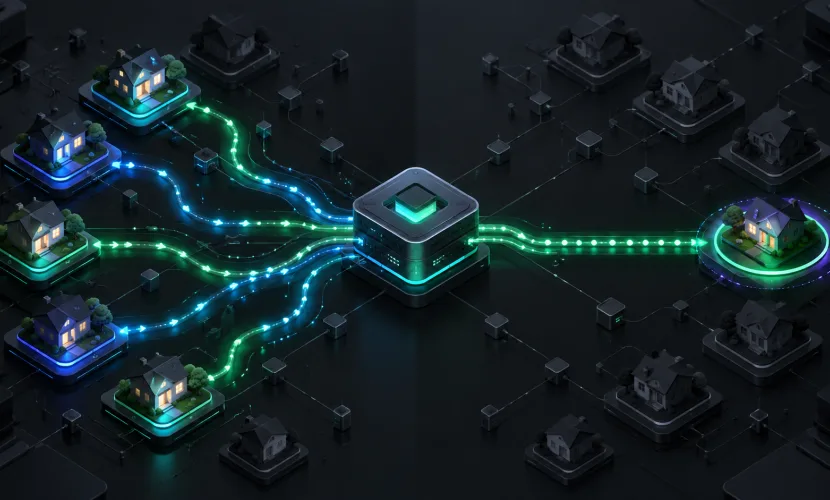
What Is a Residential Proxy? When to Use One and How It Operates

X2Proxy Editorial Team
Last updated · October 24, 2026 · 15 min read
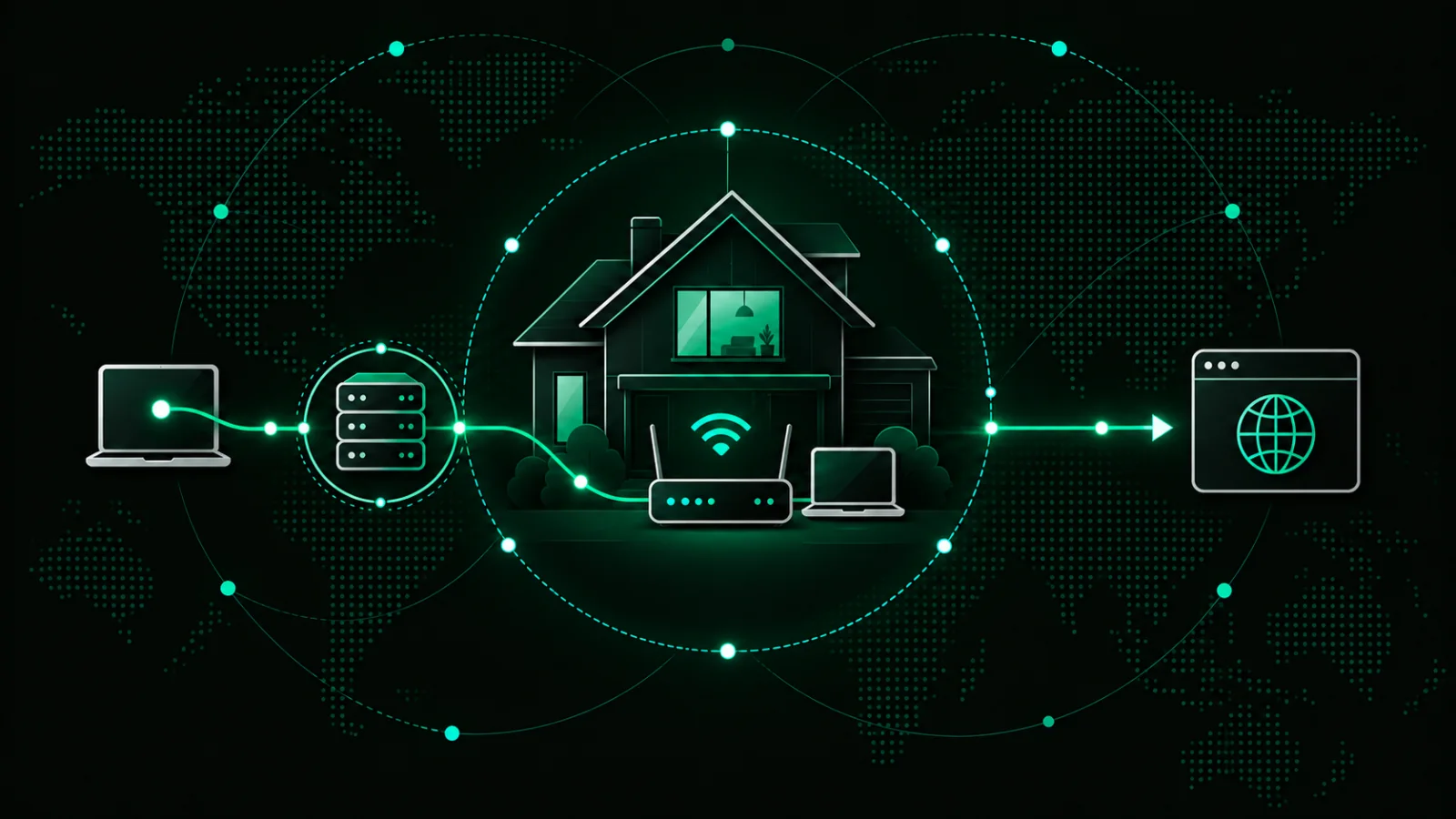
A residential proxy is an intermediary that routes your internet requests through an IP address associated with a real residential connection. The destination website sees the residential IP instead of your original address, making this proxy type useful for authorized tasks that depend on location, IP type, or session continuity.
Businesses use residential proxies for price monitoring, ad verification, localized SEO checks, market research, website testing, and authorized public web data collection. Before you choose residential proxies, check how the network sources its IPs, how sessions work, and whether this proxy type fits the task.
Key Takeaways
A residential proxy replaces your visible IP with an address associated with a consumer Internet Service Provider (ISP).
Your request normally passes through a provider gateway and an available residential exit device before reaching the destination website.
Rotating sessions change the exit IP between requests, while sticky sessions try to retain the same IP for a defined period.
Common legitimate uses include localized market research, price monitoring, ad verification, SEO tracking, public web data collection, and QA testing.
A residential proxy does not make every activity anonymous, legal, or immune to blocking.
Ethical sourcing matters because device owners should knowingly consent to sharing their internet connection.
What Is a Residential Proxy?
A residential proxy is a proxy service that sends a user's requests through IP addresses associated with consumer ISP networks. Instead of seeing the user's original IP or an address belonging to a hosting company, the destination sees the residential exit IP selected by the proxy network.
The word residential describes the source and classification of the exit IP. Consumer ISPs assign these addresses to households and ordinary subscribers rather than cloud servers or datacenter infrastructure.
The provider operates a gateway between the customer and a pool of available residential devices. After the customer connects with a hostname, port, and credentials, the gateway selects an exit based on settings such as location, protocol, rotation mode, or session duration. This changes the visible IP, but not browser fingerprints, cookies, account history, or every other signal a website may evaluate.
What Is a Residential IP Address?
A residential IP address is an internet address associated with a consumer ISP connection. Public IP databases may connect it with an ISP, country, region, city, and autonomous system number (ASN).
A household does not necessarily keep the same address forever. ISPs may assign addresses dynamically, multiple devices may share one public connection, and the visible IP may change after a router reconnects. Residential describes the network category—not a permanent address.
Residential Proxy vs Residential IP
A residential IP is the address itself. A residential proxy is the service and infrastructure that lets an authorized customer route requests through such an address.
A normal home connection can have a residential IP without operating as a proxy. A commercial proxy network adds a gateway, authentication, location controls, session management, traffic accounting, and access to a wider pool of exit devices.
How Does a Residential Proxy Work?
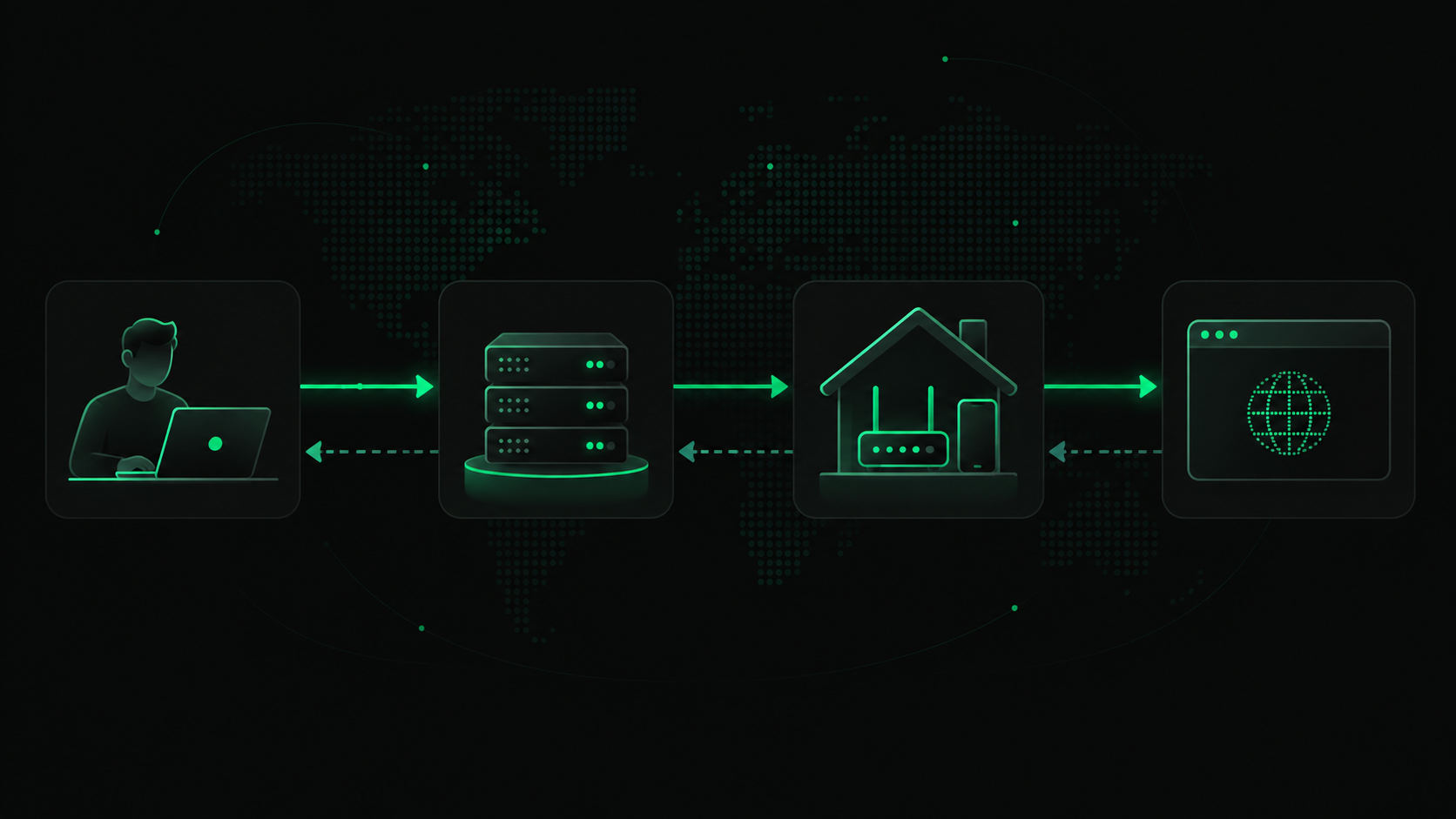
A residential proxy connection usually follows five steps:
The user connects to the proxy gateway. A browser, application, or script sends a request using credentials supplied by the provider.
The gateway applies the selected settings. It checks the requested location, pool, protocol, and session type.
An available residential device becomes the exit node. The request leaves through an IP associated with that device's consumer ISP connection.
The destination processes the request. It sees the exit IP rather than the user's original address and returns a response.
The response travels back to the user. It passes through the proxy network to the original browser, application, or script.
What Does the Destination Website See?
The website sees the residential exit IP and its associated network information. It may also see headers, cookies, browser characteristics, account details, and behavioral signals. A residential proxy replaces one important network signal; it does not guarantee anonymity or successful access.
Rotating vs Sticky Residential Sessions
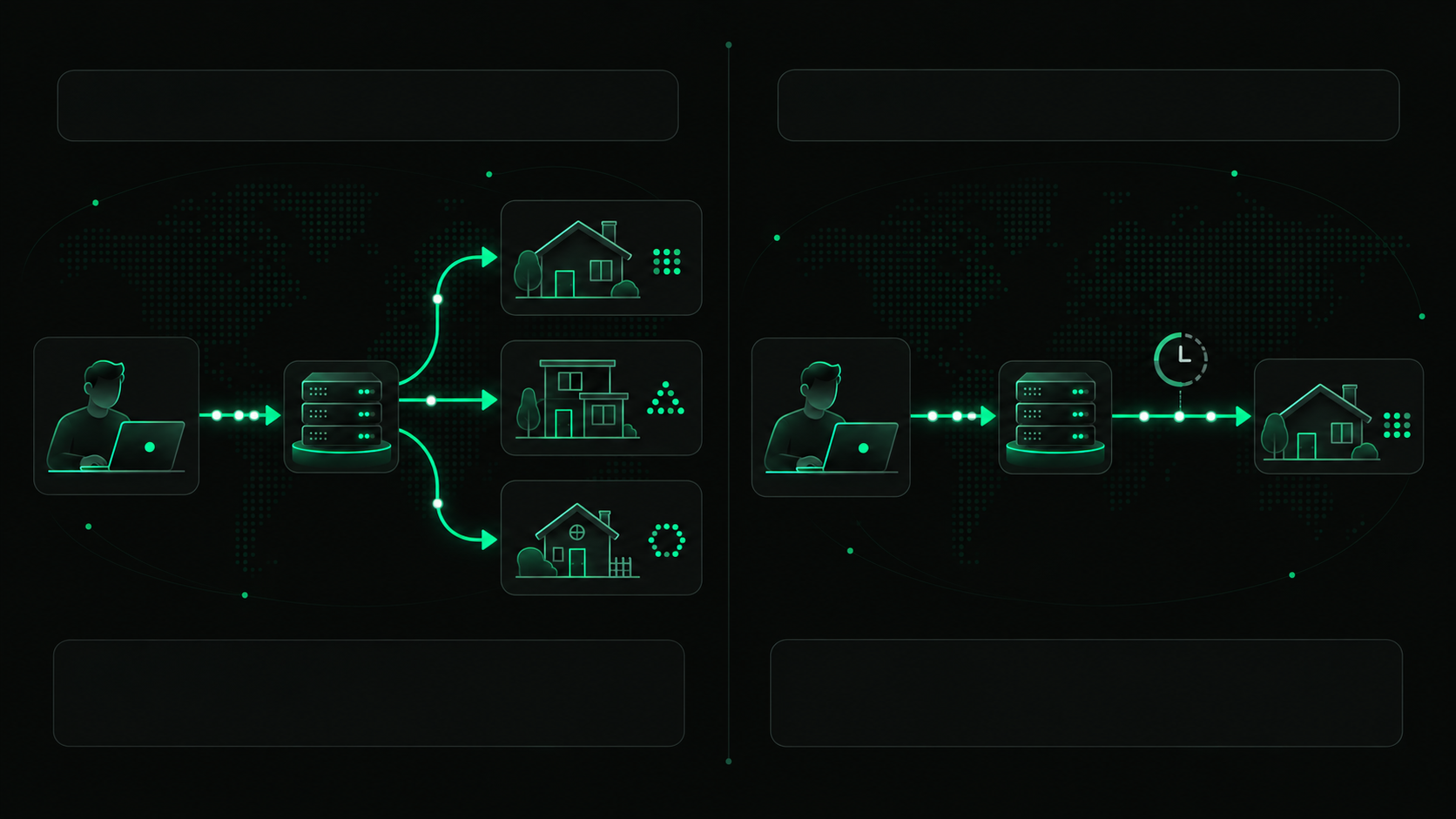
A rotating session assigns another available IP according to the provider's rotation rules—often for each new request. It works when independent requests do not need one continuous session, such as checking public search results across locations.
A sticky session attempts to keep the same residential IP for a defined period. It suits authorized multi-step workflows in which an unexpected change could interrupt the process, such as testing a checkout flow on your own website.
A sticky residential proxy is not the same as a permanently static IP. The session can end when its time-to-live expires, and the address may change earlier if the underlying residential device disconnects or loses internet access. This limitation exists because residential pools consist of real, independently operated devices.
How Are Residential Proxy IPs Sourced?
Residential proxy sourcing determines whether a network is ethical and sustainable. In a legitimate opt-in model, a device owner knowingly uses software that shares part of the internet connection. The provider explains what is shared, obtains consent, and discloses any payment, credits, free functionality, or other benefit.
Not every network follows this standard. IPs can also come from misleading software bundles, compromised devices, or applications that fail to explain bandwidth sharing. Ask how users join the network, whether consent is explicit, and how devices can leave it.
Our proxy service states that its residential devices are obtained through an explicit opt-in process. Device owners voluntarily agree to share bandwidth, and an address is not added to the pool without consent. This sourcing policy is as important as price, pool size, or location coverage.
What Are Residential Proxies Used For?
Residential proxies are used when a legitimate workflow depends on geographic location, an ISP-associated address, IP rotation, or short-term session continuity. The most common business applications involve research, verification, monitoring, and testing.
Public Web Data Collection
Organizations collect public information to study markets, products, and industry changes. A residential pool can distribute authorized requests across relevant locations, but it does not grant permission to access private data or ignore restrictions. Collection should account for applicable law, website terms, reasonable request rates, and data sensitivity.
Price and Product Monitoring
Retailers, analysts, and brands use residential proxies to examine public prices, availability, delivery options, currencies, and regional catalogs. Location targeting reveals what shoppers in different markets see, while rotation prevents the research from depending on one address.
Ad Verification
Advertisers use local residential connections to confirm that campaigns appear in intended locations and open the correct landing pages. This can reveal incorrect creatives, broken redirects, and geographic delivery mistakes.
SEO and SERP Monitoring
Search results vary by country, language, location, device, and personalization. SEO teams can collect localized rankings and inspect titles, descriptions, maps, and other search features. A proxy changes the visible network location but does not perfectly reproduce a specific person's search environment.
Localization and Website Testing
QA and localization teams can test whether their own sites and applications serve the correct language, currency, offer, legal notice, CDN resource, or checkout option. Sticky sessions help when several test steps must remain connected to one location and IP.
Market Research
Residential proxies help researchers compare public product pages, promotions, competitor offerings, search visibility, and service availability across markets. They provide a local network perspective but do not replace sound research design, data validation, or human review.
Benefits of Residential Proxies
Residential proxies are valuable when the source and location of the visible IP materially affect a workflow.
Consumer ISP addresses: Traffic exits through IPs associated with ordinary ISP networks rather than hosting infrastructure.
Geographic targeting: Providers may offer country, region, city, or ASN selection.
Flexible rotation: Users can choose rotating requests or limited sticky sessions according to the task.
Large address pools: Providers can make many residential exit devices available behind one gateway.
Centralized access: Authentication and traffic controls simplify authorized workflows across supported markets.
These benefits are conditional, not guaranteed. An address can have a poor history, a device can disconnect, and a target can identify unusual behavior using signals unrelated to the IP.
Limitations of Residential Proxies
Residential proxies also have practical trade-offs:
Variable speed: Requests travel through real devices and consumer connections, so performance can be less consistent than in a datacenter.
Device availability: Exit nodes can go offline when owners disconnect their devices or stop the bandwidth-sharing software.
Higher cost: Residential traffic is commonly billed per gigabyte and usually costs more than datacenter proxy traffic.
Session limits: A sticky session lasts only within the provider's supported duration and may end early if the device disconnects.
Traffic consumption: Images, video, large scripts, and unnecessary page resources can quickly use paid bandwidth.
No universal encryption guarantee: A proxy is not equivalent to a full-device encrypted VPN tunnel by default.
No guarantee of access: Websites can still rate-limit, challenge, or block requests based on IP history and other signals.
Compliance remains the user's responsibility: A proxy does not override laws, contracts, privacy obligations, or website rules.
For simple, high-volume tasks where IP classification does not matter, a datacenter proxy may be faster and more economical. The right choice depends on the target, location requirements, session design, and acceptable cost.
Residential Proxy vs Datacenter Proxy vs Mobile Proxy
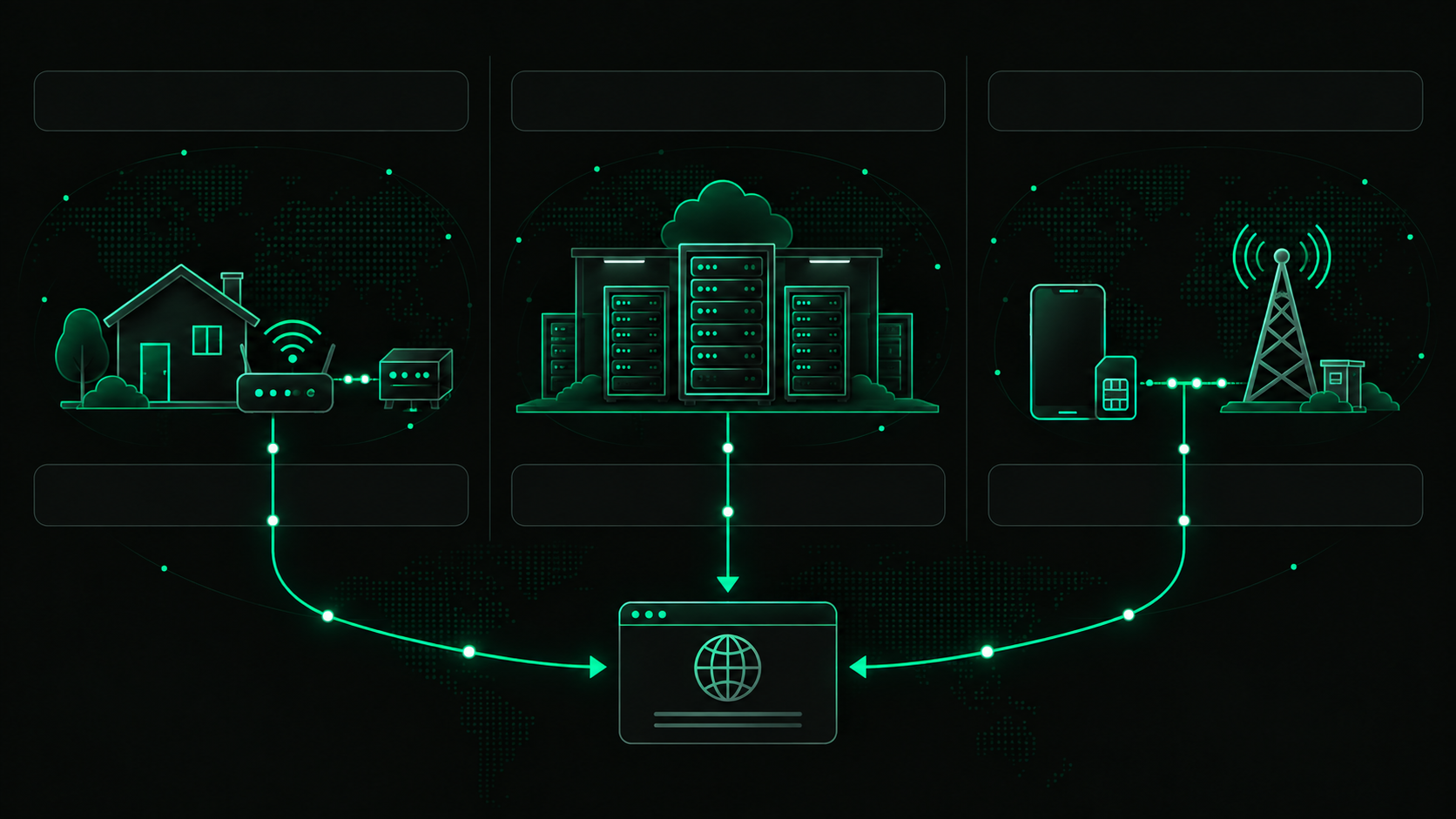
The main difference among these proxy types is where the exit IP comes from.
Feature | Residential proxy | Datacenter proxy | Mobile proxy |
IP source | Consumer ISP connection | Hosting or cloud provider | Mobile carrier network |
Typical stability | Depends on the exit device | Usually high | Variable and carrier-dependent |
Typical speed | Variable | Usually fast | Variable |
Location options | Often broad | Depends on server locations | Depends on carrier coverage |
Session behavior | Rotating or limited sticky sessions | Static or rotating | Often rotating or sticky |
Typical price | Medium to high | Usually lower | Usually higher |
Common legitimate uses | Market research, monitoring, verification, QA | High-throughput tasks and general routing | Mobile-specific testing and carrier-location workflows |
Choose according to the required network source: a consumer ISP connection, hosting infrastructure, or a mobile carrier network.
Residential Proxy vs VPN
A residential proxy and a VPN can both replace the IP visible to a destination, but they are designed for different purposes.
Feature | Residential proxy | Consumer VPN |
Traffic scope | Usually selected applications or requests | Usually most device traffic |
Exit IP | Consumer ISP-associated residential IP | Commonly a provider-controlled datacenter IP |
Encryption | Depends on protocol and configuration | Normally includes an encrypted tunnel |
Rotation | Often built into the service | Usually manual server switching |
Detailed GEO targeting | Common in business proxy services | Usually limited to available server locations |
Typical purpose | Research, monitoring, verification, automation, QA | General connection privacy and secure remote routing |
Choose a VPN to encrypt and route general device traffic. Choose a residential proxy when an authorized application needs an ISP-associated IP, location controls, rotation, or session management. Neither tool creates complete anonymity by itself.
Free vs Paid Residential Proxies
Free proxy lists can look attractive, but the operator, source, configuration, and business model are often unclear. Users may encounter dead endpoints, crowded addresses, slow responses, missing encryption, injected content, traffic monitoring, or devices added without informed consent.
A 30-month academic study collected more than 640,000 free proxies and found that only 34.5% were active at least once. The researchers also identified thousands of vulnerable proxy hosts and 16,923 proxies that manipulated content. These results do not prove that every free proxy is malicious, but they show why an unknown service should not be trusted with sensitive traffic. Read the research paper.
Paid access is not automatically safe either. If you decide to get proxy access, examine the provider's sourcing policy, authentication, documentation, support, permitted-use rules, traffic accounting, and company identity. Payment should provide accountability and useful service controls—not just an IP address.
When Should You Use a Residential Proxy?
A residential proxy may be appropriate when:
an authorized task depends on country, region, city, or ASN;
a consumer ISP-associated IP is relevant to a test or research question;
independent requests need IP rotation;
an authorized multi-step workflow needs a limited sticky session;
you are verifying ads, localized pages, or public information;
a datacenter address does not accurately represent the intended user location.
You may not need one when:
the task works reliably from your normal connection;
a cheaper datacenter proxy meets all project requirements;
you need a permanent dedicated IP rather than a temporary session;
your priority is full-device encrypted routing, for which a VPN may be more suitable;
the activity would violate laws, privacy rights, contracts, or platform rules.
Use residential traffic because its IP source, location, or session model solves a documented problem—not because it is marketed as harder to detect.
How to Get a Residential Proxy
The simplest way to get residential proxy access is to use a reputable provider:
Define the task, locations, expected volume, and session requirements.
Verify that the provider sources residential IPs with informed consent.
Check available countries, protocols, rotation controls, sticky-session limits, and traffic validity.
Estimate bandwidth use and select an appropriate traffic package.
Create an account and top up your account balance and then select a pricing plan that suits you.
Generate the hostname, port, username, and password in the provider dashboard.
Add the credentials to a compatible tool and verify the connection with a reputable IP lookup service.
Providers usually offer access to a pool rather than selling ownership of individual household addresses. Therefore, listings for residential proxies for sale generally refer to a traffic allowance, subscription, or gateway access—not a permanent transfer of the underlying IPs.
X2Proxy provides access to an ethically sourced residential network through authenticated HTTP(S) and SOCKS5 connections. Users can select supported locations and choose rotating requests or time-limited sticky sessions. Two residential pools group devices by observed connection stability, helping users match the pool to the expected session length.
How to Choose a Residential Proxy Provider
A search for proxy for sale offers may produce impressive pool-size claims. Evaluate more than the headline number: not every device is online at once, availability varies by location, and IP histories differ.
Check the following criteria:
Ethical sourcing: Are device owners clearly informed and able to opt out?
Location coverage: Are the required countries and sub-regions available?
Session controls: Can you choose rotation or a suitable sticky duration?
Protocols: Does the service support the applications you intend to use?
Authentication: Are connections protected with controlled credentials?
Traffic accounting: Can you inspect usage by date, pool, country, or protocol?
Availability disclosures: Does the provider explain that residential devices may disconnect?
Documentation: Are connection formats and troubleshooting steps clearly described?
Support: Can the team investigate connection and configuration problems?
Acceptable Use Policy: Does the provider prohibit fraud, unauthorized access, spam, and other harmful activity?
Pricing terms: Does purchased traffic expire, roll over, or require recurring payment?
A trustworthy residential proxy provider should explain both strengths and limitations. Claims such as “undetectable,” “never blocked,” or “completely anonymous” are warning signs because no provider can guarantee those outcomes for every target and workflow.

Let’s Sum Up
A residential proxy is useful when an authorized workflow genuinely depends on an ISP-associated IP, location controls, rotation, or limited session continuity. Ethical sourcing, device availability, transparent billing, and responsible-use rules matter more than headline pool size.
x2proxy offers ethically sourced residential traffic with flexible location targeting, rotating connections, and time-limited sticky sessions. Before you choose residential proxies, start with a small traffic allocation, validate the configuration, and scale only after the workflow produces the expected results.
FAQ About Residential Proxies
What is a residential proxy used for?
A residential proxy is used when a legitimate task depends on location or an ISP-associated IP. Common uses include price monitoring, ad verification, localized SEO checks, market research, website localization testing, and authorized collection of public web data.
Are residential proxies illegal?
Residential proxies are not inherently illegal. Legality depends on how the IPs were sourced, what the user accesses, applicable law, and the target website's terms. Fraud, unauthorized access, privacy violations, and other prohibited activities remain unlawful when performed through a proxy. This is general information, not legal advice.
What is the difference between a VPN and a residential proxy?
A VPN normally encrypts and routes most device traffic through a remote server. A residential proxy usually routes selected application traffic or requests through an ISP-associated residential IP. VPNs primarily serve connection privacy, while residential proxies are commonly used for location-sensitive research, monitoring, verification, and testing.
How do I get a residential proxy?
Choose a reputable provider, purchase an appropriate traffic package, select the required location and session type, and generate a proxy endpoint. The provider supplies a host, port, username, and password that you can enter into a compatible browser, application, or script.
Why are free proxies bad?
Free proxies often have unknown operators, unstable connections, overcrowded IPs, weak security, and no accountable support. Some may log traffic, inject content, or expose users to malicious activity. A paid service does not guarantee safety, but a transparent provider is easier to evaluate and hold accountable.
When should I buy proxy access?
You should buy proxy access when an authorized workflow requires reliable IP rotation, geographic targeting, authentication, usage statistics, or support. A paid proxy is unnecessary if the task works directly or requires a VPN instead. The decision should follow the use case rather than advertising claims.