
Residential vs Datacenter vs Mobile vs ISP Proxies: Key Differences


X2Proxy Editorial Team
Last updated · October 24, 2026 · 16 min read
Residential, datacenter, mobile, and ISP proxies differ primarily in the network behind their exit IP addresses. Residential proxies use household internet connections; datacenter proxies use hosting infrastructure; mobile proxies route traffic through cellular carriers; and ISP proxies typically combine ISP-associated addresses with server hosting. These differences affect speed, stability, geographic coverage, pricing, and how websites classify your traffic.
The right choice depends on what you need the connection to do. Checking a catalog from several countries, maintaining access through one fixed IP, and verifying an advertisement on a mobile carrier are different jobs. Paying for a more expensive proxy type does not automatically improve every result.
This guide compares the four types by their usual architecture and service models. Performance descriptions are general tendencies, not results from a controlled benchmark.
Explore X2Proxy residential proxies for regional research, monitoring, and automation. Choose a supported location and a rotating or sticky session to match the task.
Explore Residential ProxiesKey Takeaways
Residential proxies suit projects that need diverse consumer IPs across locations.
Datacenter proxies usually offer economical throughput and consistent performance.
Mobile proxies provide a cellular-network perspective for carrier-specific checks.
ISP proxies typically combine ISP-associated addresses with server hosting and longer IP continuity.
Rotating, sticky, shared, and dedicated describe separate service properties; verify each one when choosing a plan.
Choose by location coverage, session requirements, and cost per usable result. No proxy type guarantees access to every website.
Residential vs Datacenter vs Mobile vs ISP Proxies: Quick Comparison
Four proxy types compared by IP source, performance, cost, detection, and use case:
Proxy type | IP origin | Typical performance | IP continuity | Common billing and cost | Detection & blocking | Best fit |
|---|---|---|---|---|---|---|
Residential | Consumer ISP connections | Variable; depends on the exit device and route | Rotating or temporary sticky sessions | Usually per GB; generally above datacenter rates | Consumer network origin; reputation and behavior still matter | Localized research, price monitoring, broad IP diversity |
Datacenter | Cloud and hosting networks | Usually fast and consistent | Fixed addresses or rotating pools | Per IP, per GB, or plan; often the lowest-cost option | Hosting origin is easier to identify and may face stricter filtering | High-volume collection where hosting IPs are accepted |
Mobile | Cellular carrier networks | Variable; affected by signal, congestion, and routing | Rotation and continuity depend on the carrier and service | Per GB or rented port; often a higher-cost option | Carrier origin; shared IPs can still be challenged or rate-limited | Mobile ad verification, carrier-specific checks, app testing |
ISP / static residential | ISP-associated addresses, typically hosted on servers | Usually fast and consistent | Commonly fixed for the agreed service period | Often per IP and rental period; bandwidth plans also exist | Classification varies by IP range and intelligence database | Persistent account access, long workflows, IP allowlisting |
Exact pricing, session duration, access models, and location availability vary by provider. Fixed-IP products may be shared or dedicated, and unlimited plans may include fair-use conditions.
For an initial choice, prioritize residential proxies for geographic variety, datacenter proxies for economical throughput, mobile proxies for a cellular perspective, and ISP proxies for a persistent ISP-associated address.
The Core Difference: Where the Exit IP Comes From
The exit IP is the address the destination sees when a request arrives through your proxy. Its associated network helps distinguish a hosting connection from consumer broadband or a cellular carrier.
An autonomous system number, or ASN, identifies a network operating under a common routing policy. ARIN explains how ASNs support routing between networks. An ASN lookup provides useful network context, but it does not establish that a particular request came from a household, a specific device, or a human visitor.
Websites can combine network classification with address reputation, account activity, cookies, browser signals, and request patterns. Consequently, identifying a residential or mobile network does not mean accepting every request from it.
Also keep four separate choices clear:
Classification | Question it answers | Examples |
|---|---|---|
IP source and infrastructure | What network supplies the exit? | Residential, datacenter, mobile, ISP |
Session behavior | When does the exit change? | Rotating, sticky, fixed |
Access model | Who can use the address? | Shared, dedicated |
Protocol | How does the client connect? | HTTP, HTTPS, SOCKS5 |
A residential proxy can be sticky, a datacenter pool can rotate, and an ISP address can be shared. Check each property separately rather than assuming it follows from the product name.
What Is a Residential Proxy?
A residential proxy forwards requests through an IP associated with a consumer internet connection. In a peer-based network, participating household devices supply the available exits. The device might be a computer or a phone connected to home broadband; the exit network determines the category.
For a detailed explanation of routing and sourcing, read our guide to how residential proxies work.
Performance and stability: vary with the connection and device providing the exit.
Sessions: rotating access provides different exits, while sticky access attempts to retain one temporarily.
Pricing: commonly based on transferred traffic, making response size important to the budget.
Detection and blocking: consumer IPs can be useful where hosting networks face filtering, but residential addresses still accumulate reputation and can be blocked.
Best fit: localized SEO checks, price monitoring, ad verification, and market research across many locations.
The trade-off is availability. Access to a large pool does not reserve every advertised IP for your project. A particular city may have fewer suitable exits at the moment you need them, and an individual device can disconnect.
What Is a Datacenter Proxy?
A datacenter proxy uses an exit hosted on server infrastructure, typically in a cloud or hosting network. Providers can sell individual addresses, dedicated allocations, shared access, or pools managed through a gateway.
Performance and stability: generally benefit from server hardware and managed network connections.
Sessions: a fixed address supports continuity; a rotating service selects from multiple addresses.
Pricing: commonly per IP or per GB, with economical options for sustained traffic.
Detection and blocking: hosting ranges are easier to classify, so some websites apply stricter rules to them.
Best fit: public-data collection, crawling, availability checks, and workloads that accept server-origin traffic.
For example, a research job downloading large public documents from a source that accepts hosting IPs may gain little from residential bandwidth. Datacenter access can provide the required throughput at a lower cost.
The limitation appears when the task depends on a consumer-network perspective. A cloud exit in Germany and a household connection in Germany share a country setting, but they do not represent the same network environment.
What Is a Mobile Proxy?
A mobile proxy routes traffic through a cellular carrier network, often using SIM-connected phones or modems on 4G, LTE, or 5G. The client can still be a desktop application: “mobile” describes the exit connection.
Performance and stability: depend on radio conditions, congestion, device availability, and carrier routing.
Sessions: providers may offer scheduled rotation, on-demand changes, or temporary persistence.
Pricing: includes bandwidth-based plans and dedicated port rentals; cellular infrastructure often carries a premium.
Detection and blocking: carrier IPs can be useful on some targets, but do not guarantee access.
Best fit: mobile advertising checks, carrier-dependent content, and app workflows requiring a cellular exit.
Why CGNAT Matters
Carrier-grade NAT, or CGNAT, allows multiple subscribers to share one public IPv4 address. Blocking that address can affect many unrelated users. RFC 6888 describes this shared-address architecture.
However, shared addresses can also encounter shared restrictions. Cloudflare's research found that the CGNAT traffic in its analysis experienced disproportionate rate limiting. The practical implication is that carrier traffic should not be treated as automatically immune to filtering.
A mobile proxy also does not create a mobile browser or supply a phone's GPS location. Device settings and network origin remain separate variables when testing an app or advertisement.
What Is an ISP Proxy?
An ISP proxy typically combines an address associated with a consumer internet service provider with server-hosted infrastructure. Providers often market this product as a static residential proxy. Unlike a peer-based residential exit, it generally does not depend on a household device staying connected.
Performance and stability: usually more predictable because the exit runs on managed servers.
Sessions: commonly retain an assigned address for the agreed rental period.
Pricing: often per IP and service period, although traffic-based plans also exist.
Detection and blocking: an ISP association may help, but databases and target websites can classify the same range differently.
Best fit: persistent account administration, longer workflows, and services requiring an allowlisted IP.
Confirm whether the address is dedicated, how replacements work, and what bandwidth is included. Neither exclusivity nor unlimited traffic follows automatically from the ISP label.
For a business dashboard requiring the same IP each day, a fixed ISP address can be a suitable starting point. Agencies managing several client storefronts or social accounts may also value a persistent exit for each workflow. A dedicated datacenter IP may work if the platform accepts it. Residential classification is worth paying for only when it meets an actual requirement.
Key Differences Explained
Network Classification and Detection
Residential and mobile exits provide consumer-network origins, while datacenter exits generally identify as hosting infrastructure. ISP products combine an ISP association with a server deployment. These distinctions explain why two proxies with the same country setting may receive different responses.
They do not establish a universal success-rate ranking. A useful comparison checks whether the target returned the intended content, whether verification was required, and whether repeated visits stayed reliable.
An HTTP 200 response alone is insufficient: it might contain a challenge page or an empty result. Measure usable results rather than connection success alone.
Speed, Uptime, and Workflow Reliability
Speed measures how quickly a request completes. Uptime measures availability. Workflow reliability asks whether the entire job finishes correctly. A fast response is of little value if a later step loses the session or returns the wrong regional page.
Server-hosted exits are generally a good starting point for predictable throughput. Residential and mobile connections introduce more variation. Nevertheless, geographic distance, gateway load, target response time, and page size can outweigh the proxy category.
For selection, record typical response time, slower responses, and complete-task success. A single fast request is weak evidence for a daily monitoring workload.
Rotation and IP Continuity
Residential services commonly offer rotating and sticky modes. Datacenter networks can provide fixed addresses or rotating pools. Mobile rotation depends on the product and carrier, while ISP products commonly emphasize longer-lived assignments.
A long sticky window still differs from a fixed allocation: the underlying residential exit can become unavailable. Our rotating vs sticky proxies guide covers session behavior in detail.
Use the required duration of one complete task as your selection criterion. A brief regional checkout test and a month-long IP allowlist impose different requirements.
Geographic Coverage and Targeting
Residential pools often provide a broad choice of consumer locations. Mobile products add a carrier perspective. Datacenter and ISP products depend on where the provider can supply suitable server-hosted addresses.
Granular targeting is not exclusive to residential networks: some providers also offer city, state, and ASN selection for datacenter and ISP products. Check current availability for the exact combination you need.
An IP's reported location can differ between databases, especially when carrier traffic exits through regional gateways. Verify the observed location, and keep language, cookies, and browser settings consistent when comparing markets.
Pricing and Total Project Cost
Compare equivalent billing units. A price per GB cannot be compared directly with a monthly charge per IP or a rented mobile port.
Billing model | What drives the bill | What to confirm |
|---|---|---|
Per GB | Data transferred | Upload/download accounting, retries, traffic expiry |
Per IP | Number of allocated addresses and rental duration | Exclusivity, replacements, included traffic |
Per port | Number of rented endpoints and rental duration | Carrier, concurrency, rotation, fair use |
Subscription | Included resources and overages | Renewal, caps, throttling, unused allowance |
Compare total cost per usable result: total relevant cost divided by valid observations or completed workflows.
For illustration, a hypothetical $20 job producing 8,000 valid observations costs $0.0025 per observation. A $12 job producing 3,000 costs $0.004. These are arithmetic examples, not measured proxy performance or provider prices.
Count a price observation as valid only when the product, location, currency, and timestamp match your requirements. Fewer unusable responses can matter more than a lower headline rate.
Which Proxy Type Should You Choose?
Begin with the required network perspective, address persistence, geographic scope, and traffic volume. Then check whether the target and client support the planned connection.
Choose Residential Proxies for Geographic Variety
Residential proxies are a strong starting point when a project needs many consumer IPs across supported markets. Examples include regional catalogs, local search results, and public product research.
For a retailer comparing prices in several countries, the useful output is a comparable set of product observations. Residential coverage helps supply regional connections; the comparison still needs consistent SKU, variant, taxes, and delivery conditions.
The same network requirement applies to tracking AI Overviews across countries. That workflow adds answer and citation capture, which we cover in the dedicated monitoring guide.
Choose Datacenter Proxies for Economical Throughput
Start with datacenter proxies when the workload accepts hosting networks and needs predictable capacity. A large collection of public technical documents, for example, may benefit more from inexpensive bandwidth than consumer IP diversity.
Check the required locations and whether fixed or rotating access suits the task. A shared pool and a dedicated address solve different capacity and continuity requirements.
Choose Mobile Proxies for a Cellular Perspective
Choose mobile when carrier origin changes what you need to observe. An advertising team checking a campaign delivered to cellular subscribers has a specific reason to use it.
By contrast, a responsive-layout check may only need device emulation. Paying for a mobile IP does not configure viewport dimensions, user-agent behavior, or app permissions. Identify the variable under test before selecting the network.
Choose ISP Proxies for a Persistent Address
ISP proxies suit workflows where retaining an address is more important than accessing many unrelated exits. Consider recurring business-account access, persistent regional administration, or a partner system with IP allowlisting.
Ask how long the address remains assigned and whether it can change during maintenance or renewal. If only a fixed IP is required, compare a dedicated datacenter option as well.
Match the Type to the Task
Task | Useful starting point | Reason |
|---|---|---|
Regional SERP or AI Overview checks | Residential | Consumer-network coverage across markets |
Public price and catalog monitoring | Residential, or datacenter where suitable | Regional perspective versus economical throughput |
Bulk public-document collection | Datacenter | Capacity and traffic cost |
Carrier-specific ad verification | Mobile | Cellular-network origin |
Responsive website layout testing | Any suitable connection | Browser/device configuration is the main variable |
Short regional user-journey test | Residential with a suitable sticky session | Temporary continuity within one market |
Persistent business-account access | ISP, or dedicated datacenter if accepted | A stable assigned IP |
Business-system IP allowlisting | Dedicated fixed ISP or datacenter | Predictable address assignment during the service term |
These are starting points for evaluation, not guarantees for every website. One project may use several types for different tasks.
Where X2Proxy Fits into the Comparison
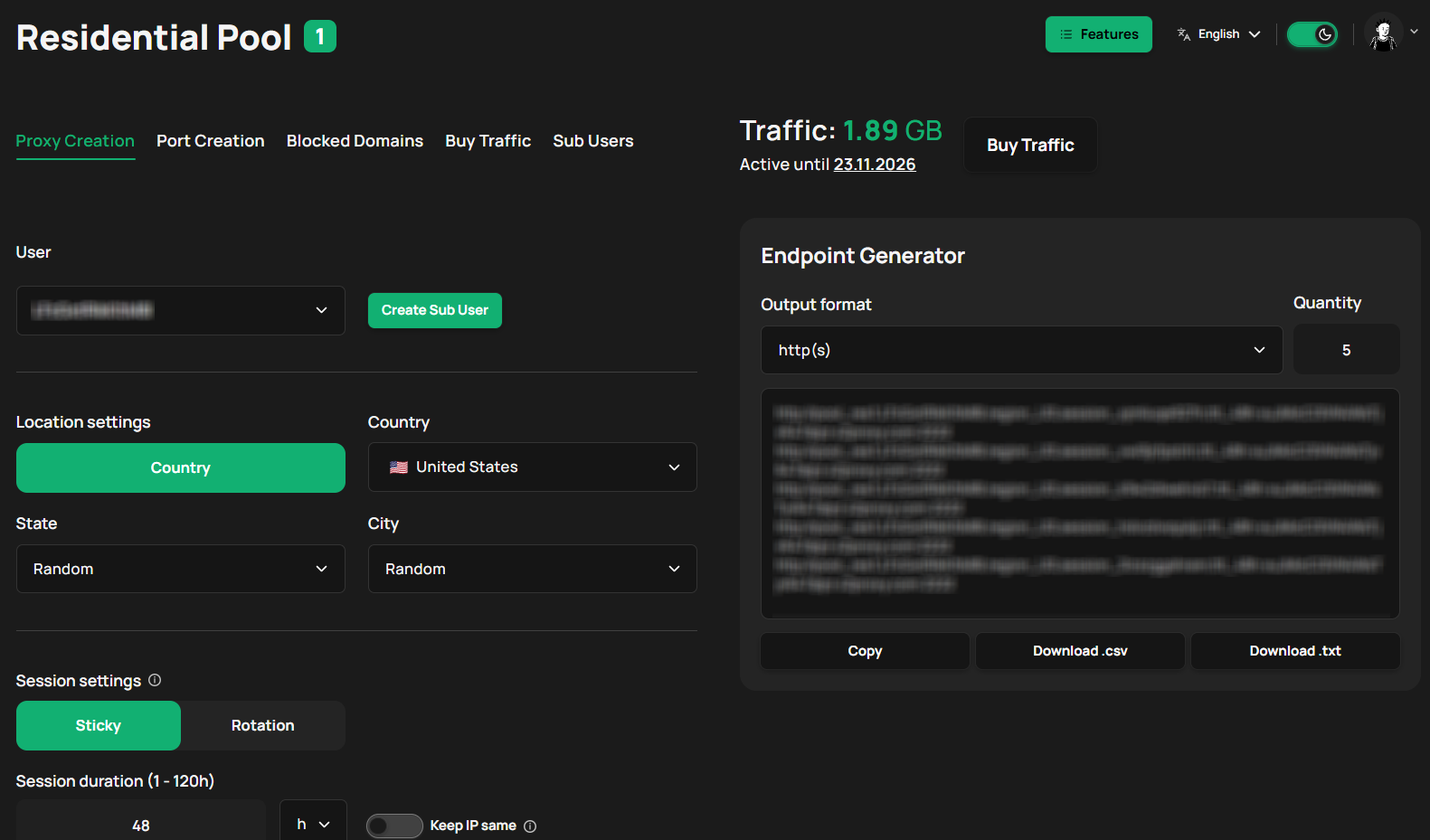
X2Proxy provides residential proxy access with HTTP(S) and SOCKS5 connections, rotating and sticky modes, and geographic targeting. Its two residential pools group exits by observed device availability.
The continuity-oriented pool is suited to workflows that benefit from retaining an exit. The more variable pool fits independent requests where long persistence matters less. Both remain dynamic residential pools; neither is a permanently assigned ISP address.
We give you sticky sessions of up to five days, subject to the exit remaining available. Choose the duration the workflow needs and verify the options for the selected pool in the dashboard.
For a regional research project, check location availability first, then choose the pool and session mode. For permanent allowlisting, select a product designed to supply a fixed address.
Mobile, datacenter, and static ISP products are currently marked as coming soon in the X2Proxy documentation.
Ethical and Operational Considerations
When evaluating residential or mobile networks, ask how device owners consent to sharing their connections and how they can leave. Check the provider's acceptable-use rules, resource restrictions, and handling of abuse reports.
For automated collection or account workflows, assess the applicable platform terms, data-access requirements, and load limits. A network's technical capabilities and a provider's commercial permission do not establish permission from the destination service. Keep these checks part of selecting a provider and planning the workload.
Choose Around the Connection Your Task Requires
Choose residential proxies when consumer-network coverage and variety drive the project. Choose datacenter for economical throughput, mobile for cellular-specific observations, and ISP for a persistent ISP-associated address.
Then check the actual service: its locations, assignment policy, bandwidth terms, and behavior on your target. A small evaluation using representative tasks will tell you more than a proxy label or a headline pool size.
FAQ About Proxy Comparison
What Is the Difference Between a Residential Proxy and a Mobile Proxy?
A residential proxy uses a consumer broadband connection; a mobile proxy uses a cellular carrier network. Both can provide rotating access, but mobile adds a carrier perspective and often costs more. A phone using home Wi-Fi supplies a residential connection rather than a cellular exit.
Which Is Better, an ISP or a Residential Proxy?
An ISP proxy is usually a better fit for a persistent assigned address and predictable server performance. A residential pool fits broader geographic coverage and access to many consumer IPs. Choose based on persistence, location, and workload rather than a universal ranking.
What Are the Key Differences Between Residential and Datacenter Proxies?
Residential proxies use consumer connections; datacenter proxies use hosting infrastructure. Datacenter services generally favor speed and economical throughput, while residential pools favor consumer-network coverage and IP variety. Target acceptance and the complete cost depend on the provider and task.
Which Proxy Type Is the Fastest?
Datacenter and ISP proxies usually provide more consistent performance because they run on managed servers. Actual response time also depends on geographic distance, routing, load, and the destination. Compare representative tasks rather than assuming every server-hosted exit beats every residential connection.
Which Proxy Type Is Usually the Cheapest?
Datacenter proxies are often the cheapest starting point for substantial traffic. However, per-GB, per-IP, and port-rental prices cover different resources. Compare included bandwidth, required addresses, and cost per usable result before choosing.
Are ISP Proxies the Same as Static Residential Proxies?
Providers commonly use these names for the same category: ISP-associated IPs hosted on servers, usually with persistent assignments. Check the actual deployment, access model, bandwidth terms, and replacement policy because the label alone does not define them.
Can Datacenter Proxies Rotate?
Yes. Providers can rotate requests or connections across a datacenter address pool. Datacenter describes the exit infrastructure; rotating describes how exits change. A fixed datacenter list can also be managed by the client.
Which Proxy Type Is Best for Web Scraping?
Datacenter proxies are a sensible starting point where hosting IPs are accepted. Residential proxies fit workloads needing consumer-network locations or greater IP variety. ISP or mobile proxies can fit specific persistence or carrier requirements. Evaluate usable data, coverage, and cost on representative pages.